Back Up Your Bot's Skills and Routine Prompts (and Test the Restore)
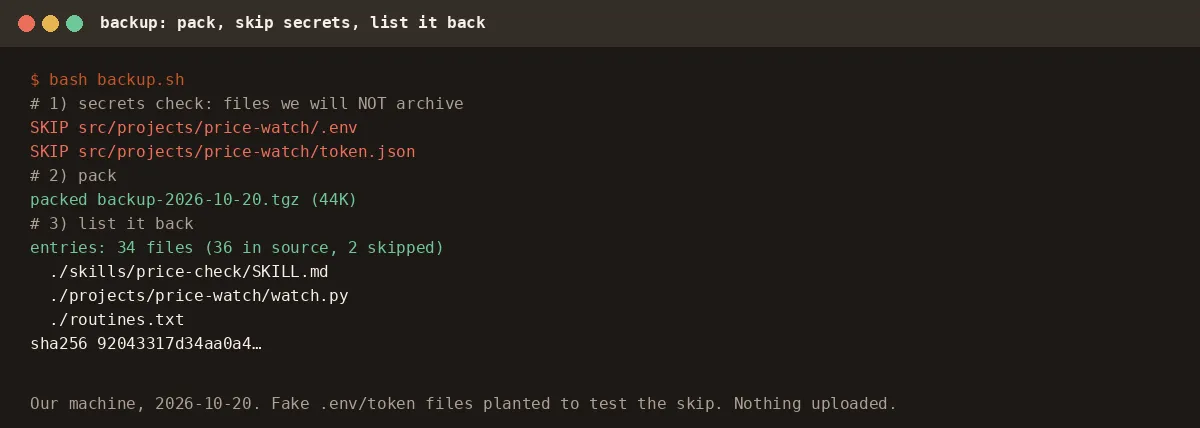
We packed 34 files into one dated archive, skipped the 2 planted secret files, restored the archive into a scratch folder and found 0 unexpected differences. The restored skill still passed 7 of 7 checks. Here's the weekly backup prompt.
We packed 34 files into one 44 KB dated archive and skipped the 2 secret files we'd planted. Restored into a scratch folder: 0 unexpected differences, and the restored skill still passed 7 of 7 checks. Here's the prompt to do it every week. For anyone with custom skills, a few routines or a project folder on the Bot's computer. Cost: one run a week.
What you get
- One dated archive with your skills, a
routines.txtof every routine's instruction, and the folders you name. - A list of what it skipped as secret, so you know nothing sensitive left the box.
- Still needs you: connecting a drive once, and running a restore test now and then.
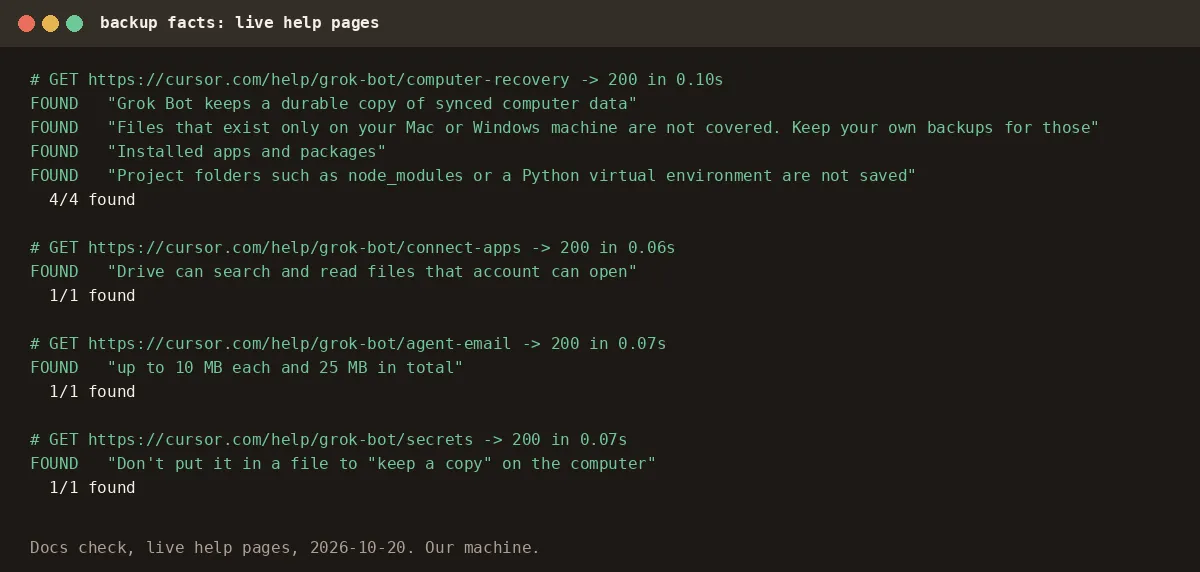
Tested on: 2026-10-20, our AgentSpoon box. Partial. We ran packing, the secret skip, listing and a full restore for real. Not tested: the drive upload (no drive is connected on our account) and the Bot writing routines.txt from live routines. Our account has no routines, so we wrote that file by hand for the price-watch routine. Recovery facts come from the live Grok Bot computer page. All 7 quotes were found.
Why bother, if the computer is already saved?
Per the help page, "Grok Bot keeps a durable copy of synced computer data". But Update, Recover and Reset remove "Installed apps and packages", "Project folders such as node_modules or a Python virtual environment are not saved", and "Files that exist only on your Mac or Windows machine are not covered. Keep your own backups for those." None of that saves you from your own bad edit to a skill, either.
Step 1: Inventory
List my saved skills and the project folders on your computer that matter.
Write routines.txt: each routine's name, when it runs, and its full instruction.
A routine's text is under Instruction in its details (Routines).
✅ You should see: a list you recognize, and a routines.txt with one block per routine.
Step 2: Pack it, and skip the secrets
Pack the skills, routines.txt and <FOLDERS> into backup-<YYYY-MM-DD>.tgz.
First skip any .env, token, key or secret file and tell me which ones you skipped.
Then list the archive back to me with a file count.
✅ You should see: a SKIP list, a file count, and entries for your skill and routines.txt, as in our run above.
Step 3: Test a restore once
A backup you've never restored is a hope. We extracted ours into a scratch folder and compared it with the source:
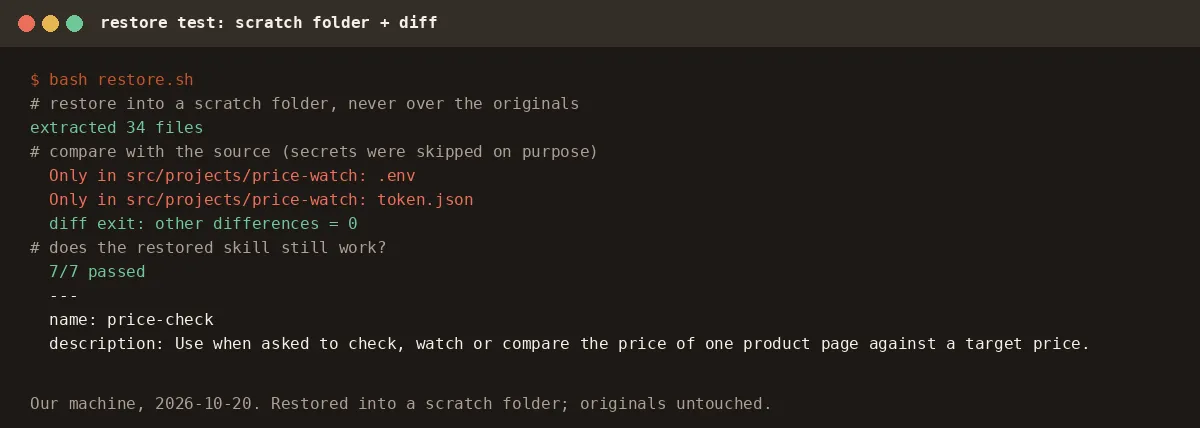
✅ You should see: the only differences are the files you chose to skip.
Step 4: Copy it off the box
Connect Google Drive or OneDrive when the Bot shows a Connect card, then ask it to upload the archive to a folder you name. A copy that only lives on the same computer isn't a backup.
✅ You should see: the dated file in your drive folder. (Owner shot needed: the drive folder with the uploaded archive.)
Step 5: Make it weekly
Every Sunday at 6:00 PM, do the backup steps above and upload the archive. Tell me the file count and anything skipped.
✅ You should see: the routine with "every Sunday at 6:00 PM" under When to run. (Owner shot needed: routine detail.)
Gotchas
- Never "keep a copy" of a secret in a file. The Secrets page says it plainly: "Don't put it in a file to "keep a copy" on the computer." Save keys with the secure card instead.
- Keep the date in the name so each week's archive is easy to tell apart. We didn't test how a drive handles a same-name upload.
- Weekly is enough. Each run spends usage.
FAQ
Can it email me the backup instead? From the Bot's own email address (claiming one is permanent), any email it wants to send waits as a draft until you approve it. Attachments: up to 10, up to 10 MB each and 25 MB in total.
Doesn't Grok Bot already back up its computer? It keeps a durable copy of synced computer data, but installed apps and folders like node_modules aren't saved, and files only on your own Mac or PC aren't covered. Your own copy also protects you from your own bad edits.
Sources
- Grok Bot help: Grok Bot computer, Store secrets securely, Connect apps, Give your Bot an email address, Routines. Checked 2026-10-20.
- Our run: backup + restore of 36 files with 2 planted fake secrets, 2026-10-20.