Grok Bot 101: Your First 5 Tasks
Begin with five small, low-risk jobs that each use a different Grok Bot ability: a one-off web lookup, a public X search, a file it builds for you, one...

Answer first: Begin with five small, low-risk jobs that each use a different Grok Bot ability: a one-off web lookup, a public X search, a file it builds for you, one scheduled routine, and one connected app. In about 20 minutes you'll know what it does well. You won't have risked anything, because every outgoing email or message stops at a draft card that you approve.
Test status: two pieces were tested on 2026-10-16. A public X search ran and returned 10 posts. The box confirmed spreadsheet generation is available (Python's openpyxl library is installed). Routine creation and connect cards come from the official Routines docs and were not run for this page.
Who it's for
New users looking at an empty chat who want proof the bot can do real work before they trust it with anything important.
Steps
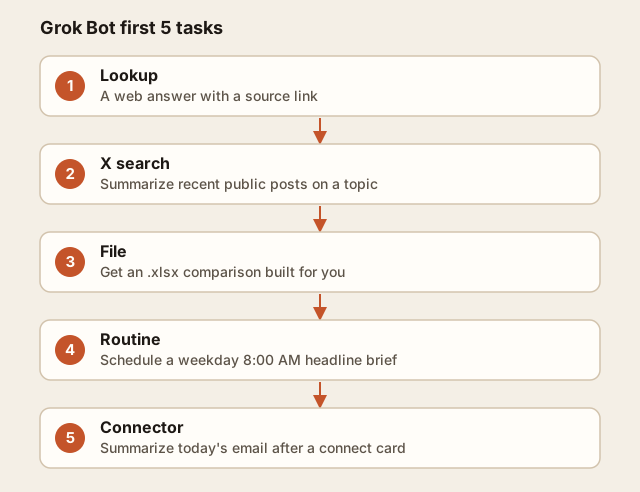
- Lookup (1 min): "Find the opening hours of <place> and give me the source link."
- X search (1 min): "Search X for the 10 most relevant recent posts about <topic> and summarize them." It uses built-in public X access, so there's no login.
- File (3 min): "Make me an .xlsx comparing <3 options> on price, pros and cons." It builds the file on its own computer (the "box") and hands it to you.
- Routine (2 min): "Every weekday at 8:00 AM, send me the top 3 headlines about <topic>." Then open the Bot's details, go to Routines, and check that When to run matches what you meant. Press Test to see a run right away, because a new routine waits for its next scheduled time.
- Connector (3 min): "Summarize my unread email from today." If Gmail or Outlook isn't connected yet, it shows a connect card. Approve that card only if you're comfortable giving access.
Copy-paste prompt
I'm new. Walk me through 5 starter tasks, one at a time, waiting for me between each:
1) a web lookup with a source link, 2) a public X search on "<TOPIC>",
3) an .xlsx comparing <OPTION A/B/C>, 4) a weekday 8:00 AM routine with the top 3 headlines on <TOPIC>,
5) a summary of today's unread email (ask me to connect if needed).
Never send or post anything without showing me a draft first.
Expected result
Five finished outputs: a sourced answer, an X summary with links, a downloadable spreadsheet, one listed routine, and one connector that is either connected or deliberately skipped.
Gotchas
- Routines spend usage on every run, and so does Test. Start with daily routines, not every-5-minutes ones.
- Schedules use the time zone set in Settings → Bot → Timezone. If your first run happens at an odd hour, check that setting first.
- A routine created at 8:05 for "8:00 daily" won't run until tomorrow.
FAQ
Can it buy or send things on its own? No. Email and messages go out as drafts that you approve, and it won't make purchases without you. What are the X limits? 30 reads per minute, 1,000 per day, and up to 25 results per search.